Stop juggling multiple apps and scattered notes. FocusGrid brings your tasks, assignments, deadlines, and study sessions into one powerful platform designed specifically for students.
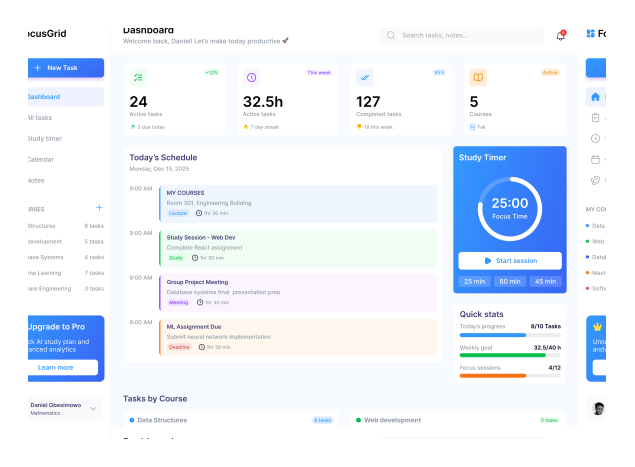
Generic task apps weren’t built for students. They don’t understand semesters, courses, group projects, or the unique challenges of academic life.

Juggling assignments across multiple courses leads to forgotten deadlines and last-minute panic. You need a system that tracks everything in one place.

Notes in one app, tasks in another, study materials somewhere else. Finding what you need becomes a treasure hunt when you should be studying.
You put in the hours, but by Friday you cannot say where they went or which course got the least attention. Without a record, planning next week is guesswork.
Built specifically for students, with features that understand your academic workflow.
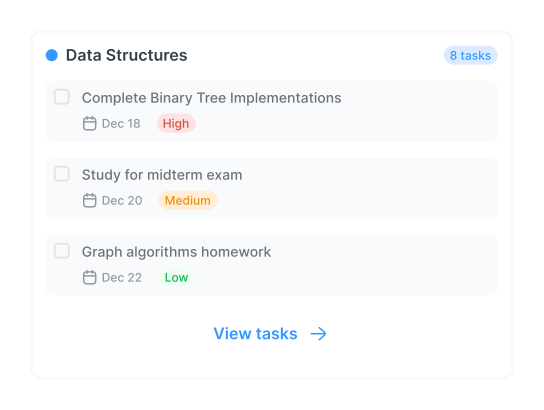
Say goodbye to generic to-do lists. Organize your assignments, readings and projects by course. See everything at a glance with priority indicators, deadline countdowns, and completion tracking.

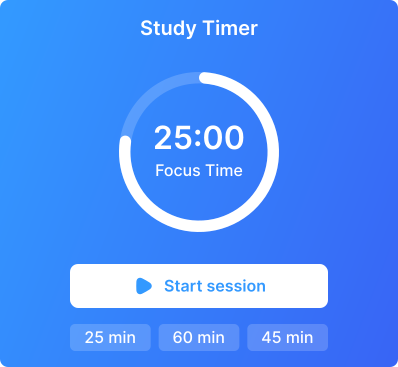
Maximize your focus with our integrated study timer. Use the proven Pomodoro technique or customize your own study intervals. Track your productive hours and build consistent study habits.
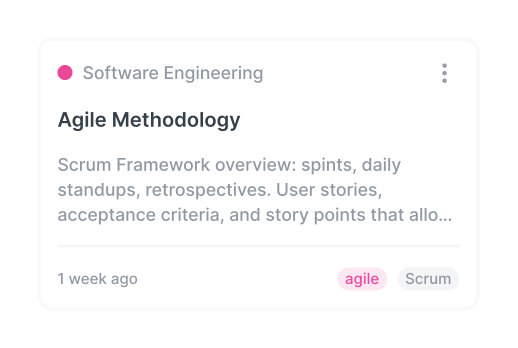
Keep all your lecture note, study materials, and quick thoughts organized by course. Rich text-formatting, tagging and powerful search make finding information effortless
Simple setup, powerful results. Start organizing your academic life today.


Sign up with your email or university account. Takes less than 30 seconds.


Input your course schedule for the semester. We’ll create organized space for each class.


Start adding assignment , readings, and project. Set priorities and deadlines.


Track progress, use the study timer, and watch your productivity soar.
See how FocusGrid is transforming academic life

Jun 10, 2025
FocusGrid completely changed how I manage my coursework. I went from constantly missing deadlines to being ahead on all my assignments, The course organization is genius

Daniel Gbesimowo
Mathematics, Unilag
Oct 22, 2026
It is evident that considerable research and effort went into identifying everyday student challenges and building practical solutions. FocusGrid makes student life a lot easier. Well done! 👍

Sandra Akakpo
Mathematics, Unilag
Nov 08, 2026
FocusGrid really helps build better study habits and track productive hours without needing multiple separate apps. Absolutely top-notch.

Oladimeji Ogunleye
Industrial Engineering, Uniben
Here are some of the most common questions about FocusGrid and our features.

Yes. FocusGrid is free to use, with no paid plans, no subscriptions and no card details required. Add as many courses, tasks and notes as you need.
Our study timer uses the Pomodoro technique, allowing you to set focused study intervals (e.g., 25 minutes) followed by short breaks. You can customize the durations to fit your workflow.
Yes. FocusGrid runs in your browser on a phone, tablet or laptop, so there is nothing to install. Sign in on any device and your courses, tasks and notes are all there.
Your courses, tasks, notes and study sessions are stored in a hosted database and are only visible to you when you are signed in. Sign-in is handled by Clerk, so the app never stores your password. See the privacy page for the full details.
It stays in your account until you remove it. You can edit or delete any task, note or course at any time, and you can email us to have your whole account and its data deleted.
Keep your courses, assignments, notes and study time in one place, and see where your week actually goes.
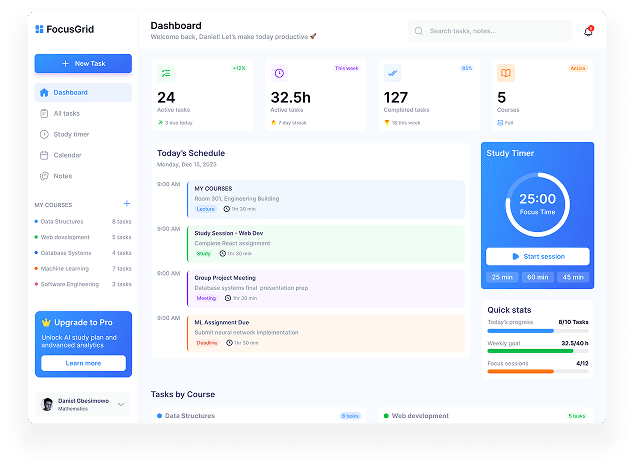

The ultimate productivity platform built specifically for students. Organize your academic life, stay focused, and achieve your goals.
© 2026 FocusGrid. All rights reserved.

